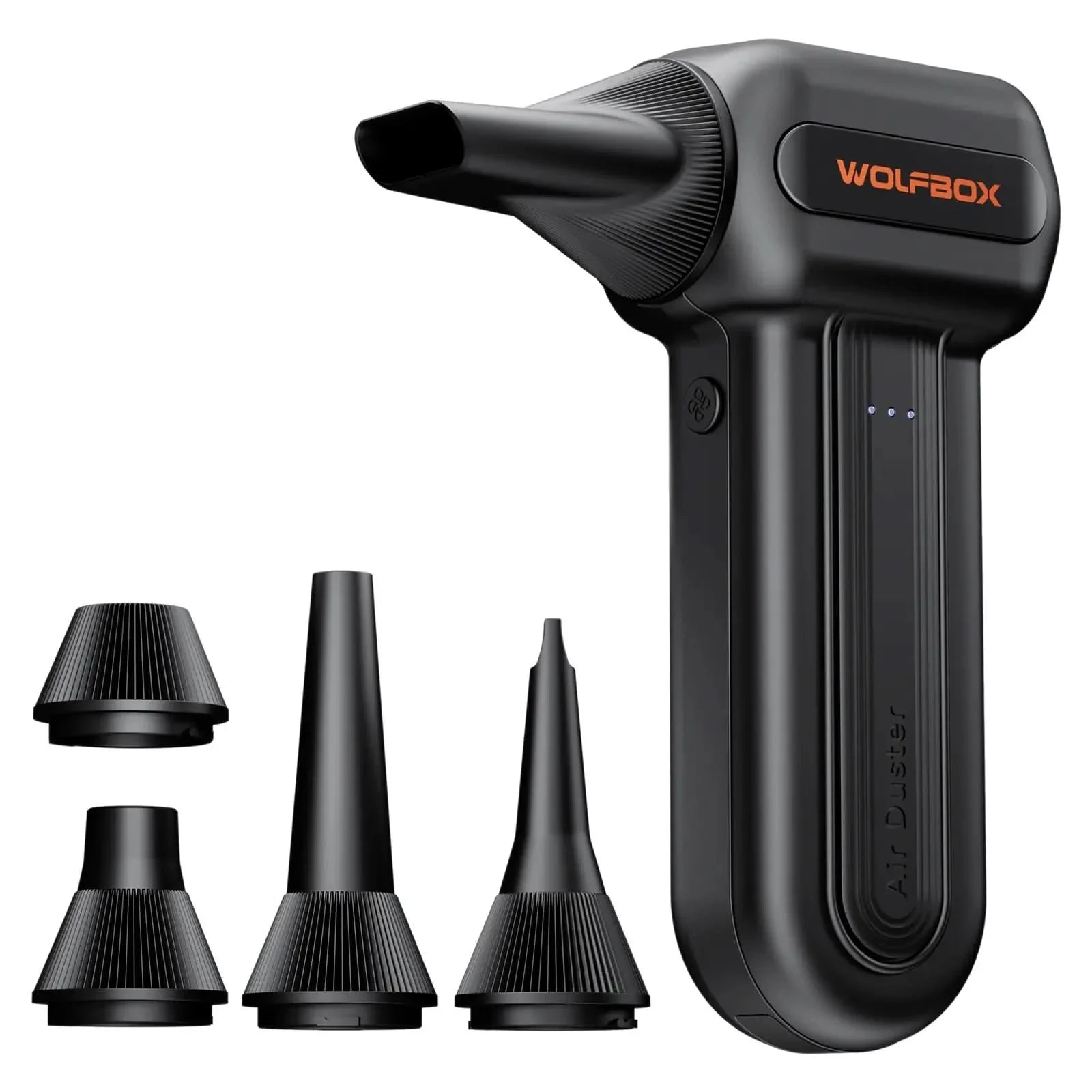
The WOLFBOX MF60 is designed specifically for PC gamers, tech enthusiasts, and on-the-go photographers. Capable of both "1-min maintenance" and "10-min deep cleans," it powerfully blasts dust from keyboards and PC cases to keep your gear in peak condition.
110,000 RPM Power:
Engineered with a high-performance brushless motor, the MF60 reaches speeds of up to 110,000 RPM in third gear. This immense power creates a strong airflow capable of dislodging stubborn debris from radiator fans and deep crevices where traditional cleaning tools can't reach.
3 Speeds & Long Runtime:
Tailor your cleaning with three precision settings: Gear 1 (25K RPM) for delicate electronics, Gear 2 (60K RPM) for daily dusting, and Gear 3 (110K RPM) for tough messes. Powered by dual 2500mAh batteries, it offers up to 240 minutes of continuous use on the lowest setting and fully recharges in just 3.5 hours.
Lightweight & Portable Design:
Weighing only 0.5 lbs, this mini air blower is exceptionally easy to handle. Its compact form factor fits perfectly into camera backpacks or car glove boxes, making it an essential tool for photographers needing to clean lenses or campers clearing debris in the wild.
Reusable & Cost-Effective Investment:
Say goodbye to disposable canned air that freezes up and runs out quickly. The MF60 is a sustainable, rechargeable solution designed for repeated use, saving you money in the long run while protecting the environment.
Versatile Cleaning Tool:
An all-in-one solution for home and outdoor life, the MF60 includes 5 specialized nozzles: a flat nozzle for PC cases, a long nozzle for deep keyboard or car vent cleaning, a round all-purpose nozzle, and specific attachments for inflating swim rings and air mattresses.
42-Month Warranty & Customer Support:
Purchase with confidence. The MF60 is backed by a 42-month warranty (18-month longer than anywhere else) and round-the-clock customer support, ensuring that any product, installation, or usage issues are resolved quickly and effectively.
1. What’s the difference between automatic discounts and coupon codes?
Automatic discounts are applied without entering a code — they’ll show directly in your cart or at checkout. Coupon codes require manual entry.
2. How do I use a coupon code?
At checkout, enter your coupon code in the “Discount code / Coupon code” box and click “Apply”. The discount will be automatically deducted from your order total before payment.
3. Why is my coupon code not working?
Please check the following:
a. The code is entered exactly as shown (case-sensitive, no spaces).
b. The code has not expired.
c. The code applies to the product you selected. Some codes only apply to specific categories (e.g., dash cams only).
d. You have not already used this code on a previous order (some codes are one-time use).
4. What if I forget to apply my coupon?
Unfortunately, once your order is placed, we can’t retroactively apply a coupon code. We recommend double-checking before confirming your payment.
5. Do coupons expire?
Yes. Each coupon code has its own expiration date or usage limit. Check the campaign page or your email for details.
6. Where can I find current discounts and coupons?
You can always check our:
a. Homepage banners
b. Email newsletter
c. Official social media posts